Overlay-Based — Never Touches Your Windows
TabRail only positions and sizes your windows to fit within the tab bar's content area — it never modifies the windows themselves. Each app runs independently, free from focus, menu, or DPI-related issues.

Switch Between Dev Tools with a Single Tab
Switch dev tool windows with a single tab — an overlay tab bar utility for Windows & macOS
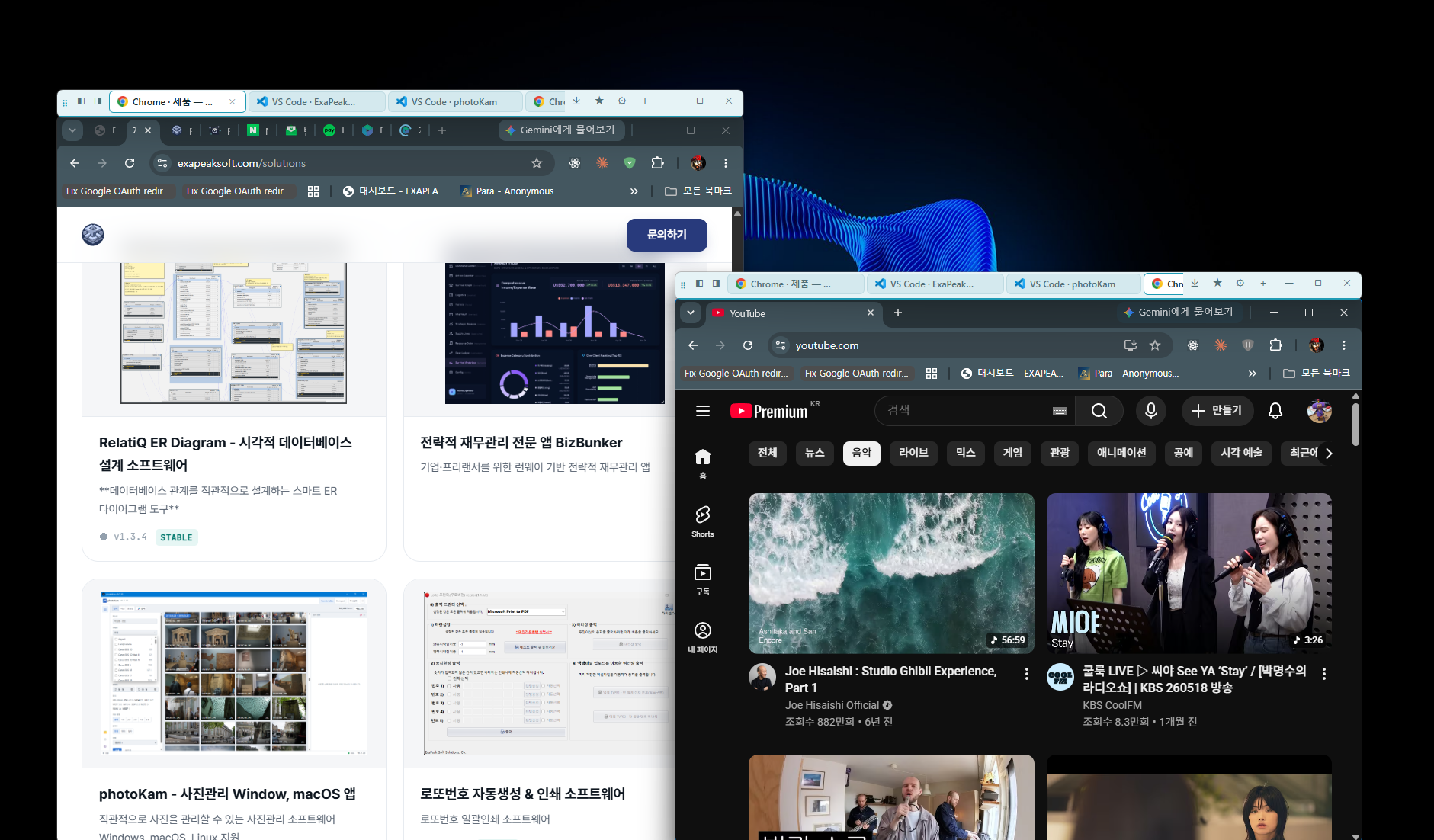
A slim tab bar that docks anywhere on your screen. Bring up any registered window with one click, and move the tab bar — the window follows.
Cursor, VS Code, Codex, Antigravity… When you're juggling multiple AI coding tools, you end up hunting through the taskbar and dragging overlapping windows to the front — more time wasted than you'd think. Multiple monitors make it worse. Bigger screens, but windows still get in each other's way.
TabRail eliminates that friction.
TabRail only positions and sizes your windows to fit within the tab bar's content area — it never modifies the windows themselves. Each app runs independently, free from focus, menu, or DPI-related issues.
Click a tab and the corresponding window snaps neatly into the content area below the tab bar and comes to the front. Even inactive windows respond on the very first click. One click handles both switching and placement — simultaneously.
TabRail's tab bar always floats above your screen, but it never steals focus. Clicking a tab doesn't interrupt what you're working on — it simply brings the window you want front and center.
Only the programs you explicitly register appear as tabs. TabRail automatically detects running instances and displays them as tabs, extracting project or folder names from window titles as tab labels. App icons are shown alongside, so you can tell them apart at a glance.
When needed, switch to Discovery Mode to pull all currently running windows into tabs. Background processes and utility windows are excluded automatically.
Docking buttons (◧ / ◨) built into the tab bar let you instantly snap the active window to the left or right half of your monitor. Double-click the tab bar area to expand it to the full region.
Drag the tab bar to another monitor or screen edge and the currently active window moves with it. If you manually reposition a window, it detaches automatically — click its tab again to reattach. The tab bar and its window connect and separate naturally.
Run as many tab bar instances as you need. Set up a separate tab bar per monitor or per workflow — each one operates completely independently. With 18 themes (9 dark + 9 light) and 4 levels of tab text weight, you can give each bar its own distinct look.
A single button minimizes all windows not registered in any tab. Instantly clear your desktop and keep only the tools you need in focus.
Click the close (✕) button on any tab to gracefully quit that application. No need to hunt for its window — handle it right from the tab bar.
Close TabRail or reboot your PC, and your tab bars — their count, positions, and sizes — are restored exactly as you left them. State is saved every time you move or resize a tab bar, so your workspace is preserved even after a forced shutdown. Auto-launch on Windows startup is also available.
| Item | Details |
|---|---|
| Supported OS | Windows 10 / 11 |
| Installation | NSIS Installer / MSI |
| Footprint | Lightweight resident utility |
| macOS | On the roadmap (not yet supported) |
TabRail is developed by ExaPeakSoft (exapeaksoft.com).
Latest builds per OS
Tell us about any issues or features you would like for TabRail. It goes straight to the dev team.
Thank you for your feedback. The dev team will review it.
Use it as it is, or let us customize just the parts you need.
