Draw your schema, get DDL, docs & code instantly — free for individuals.
RelatiQ is an ERD design tool originally built by BEBOB Software for internal use — now refined and released for everyone.
Draw your relational database schema on screen and instantly get table creation scripts, documentation, and code. SQL Server · MySQL · Oracle · PostgreSQL · MongoDB, plus MCP integration with ChatGPT · Claude · Gemini — individual users get every feature for free.
Add columns one after another with Tab and Enter, and draw relationships with just two clicks — parent to child. Your hands never leave the keyboard, so there's no back-and-forth with menus. You design at the speed of thought. The more tables you work through, the more that difference adds up.
Whatever you design on the canvas is instantly available as a DDL script, a live database, a table specification document (Excel/PDF), or class code in 11 languages. You can also go the other way — import an existing database and generate an ERD through reverse engineering.
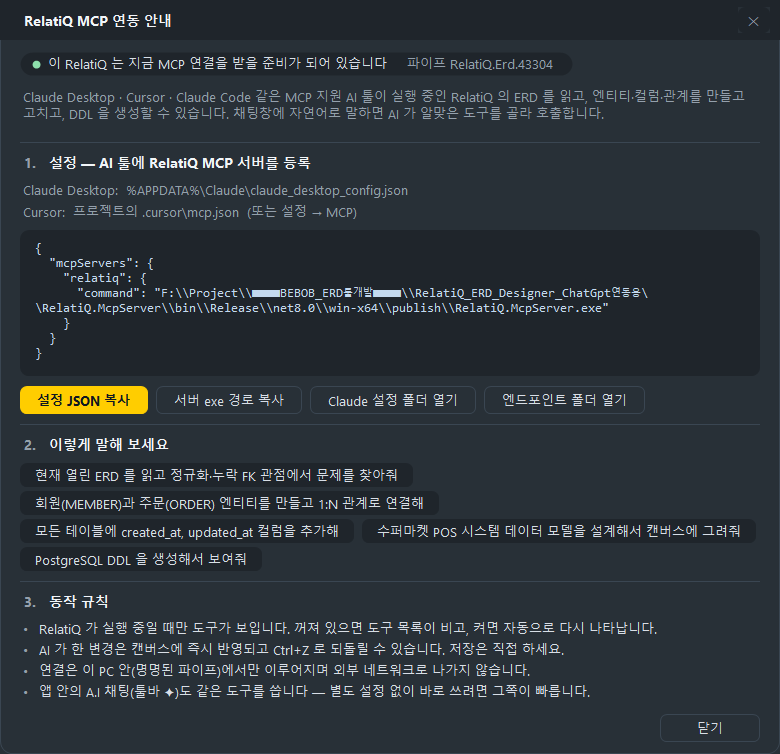
Say something like "Create member and order entities and connect them 1:N" — the built-in AI assistant draws it on the canvas right away. External AI tools like Claude Desktop and Cursor can connect to RelatiQ via MCP and do the same. Every AI-driven change can be undone with Ctrl+Z.
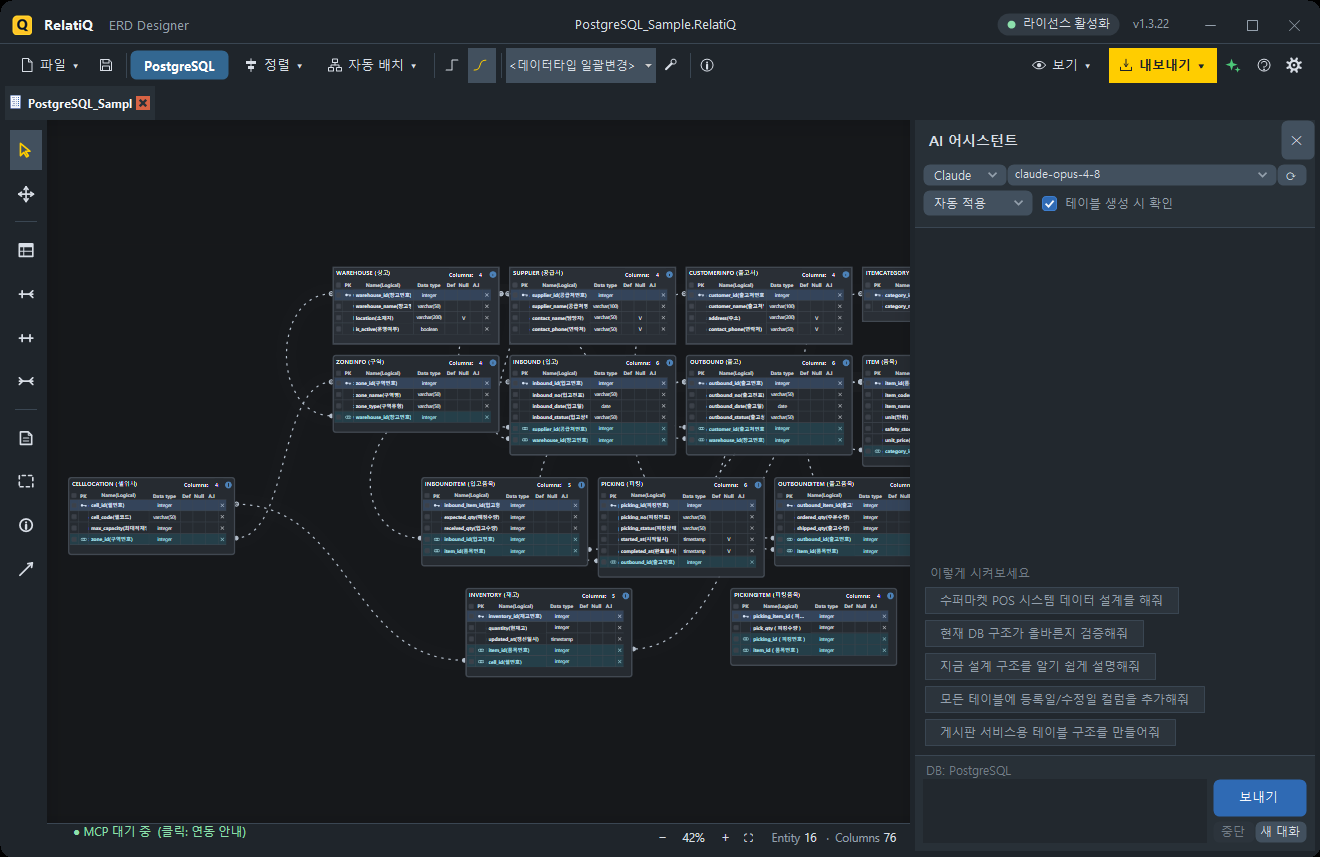
An infinite canvas with alignment and auto-layout (hierarchical and multi-root tree) keeps even complex schemas organized at a glance
Annotate your diagrams directly with notes, group boxes, project info stamps, and arrows
Identifying (1:1) · Non-identifying (1:N) · Many-to-many (N:N)
Parent PKs automatically propagate to child FKs — update the parent and the child follows
Orthogonal or Bezier curve connectors, with 5 notation styles (Crow's Foot · IE · IDEF1X · Arrow · Minimal)
Select a relationship line to highlight only the connected PK–FK pair
DDL Scripts — CREATE TABLE · PK · FK · comments, generated to match your target DB dialect (Ctrl+E)
Direct Database Creation — enter your connection details and execute everything in a single transaction
Table Specification Documents — full schema or per-entity, exported as Excel (xlsx) or PDF
Code Generation — classes for C# · Java · PHP · TypeScript · Python · C++ · Go · Kotlin · Swift · Dart · F#, plus JSON and XML
ERD Image — export as a cropped PNG with no extra whitespace
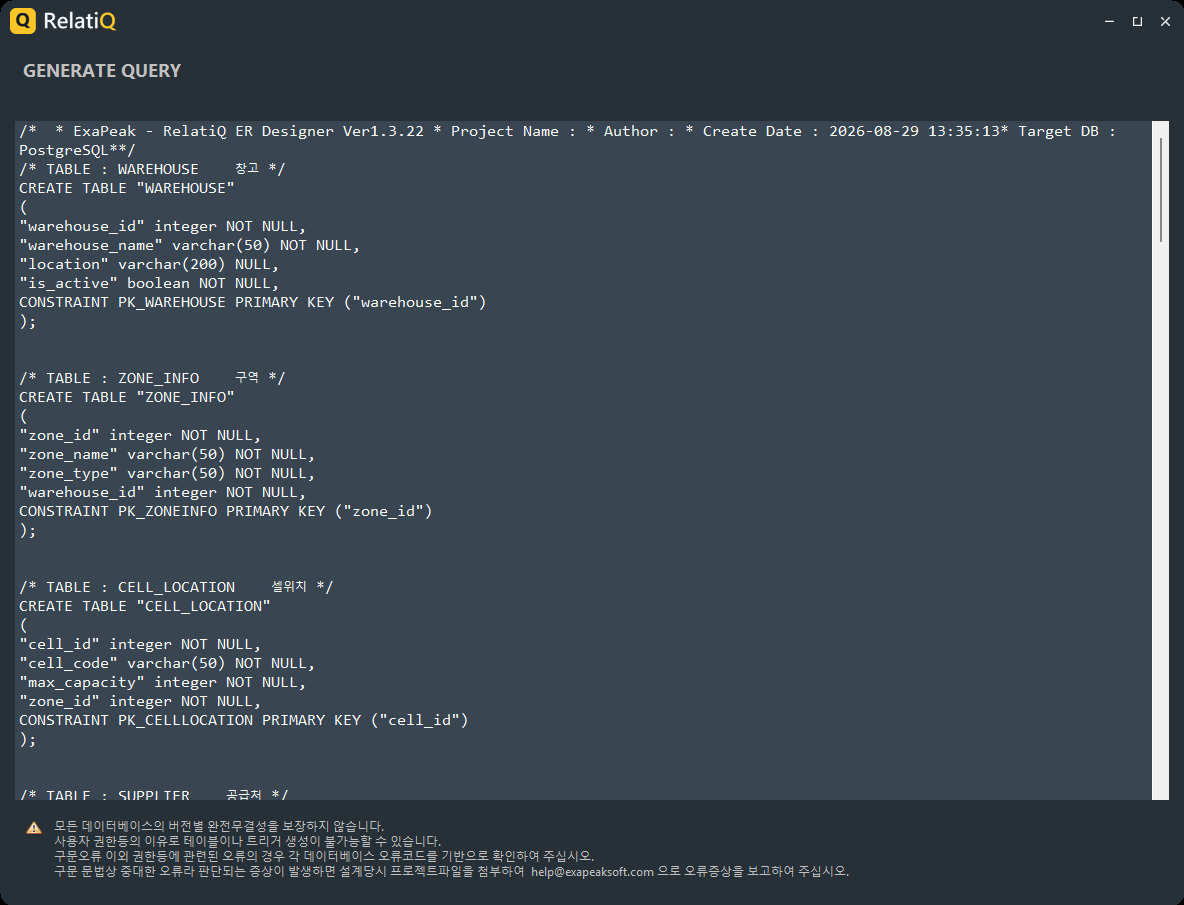
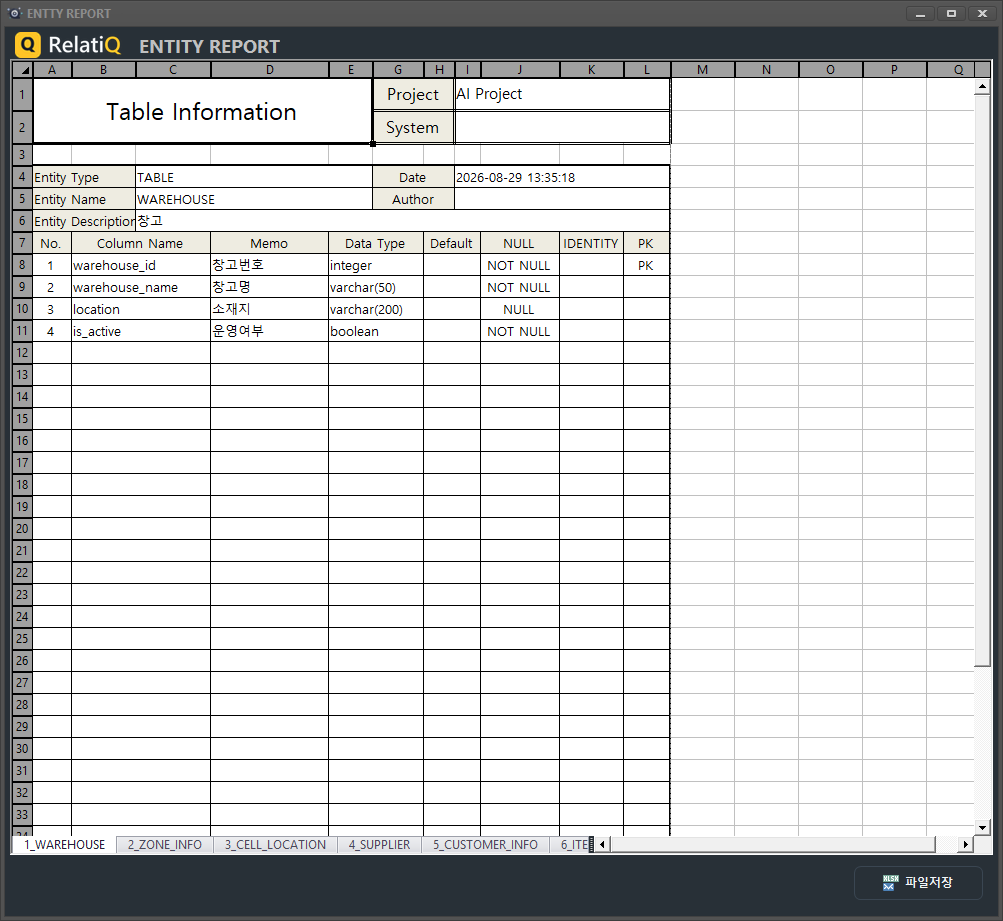
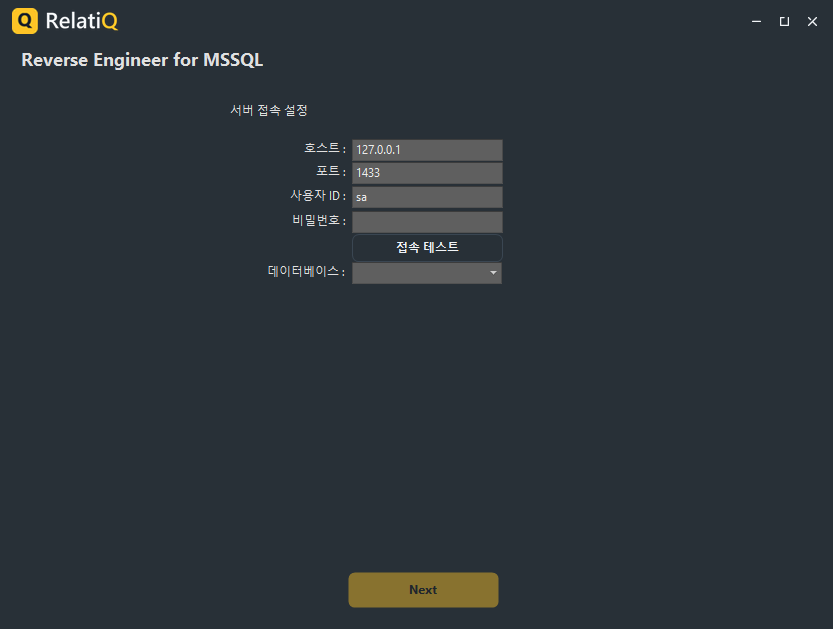
Import an existing SQL Server · MySQL · Oracle database into an ERD using a simple 3-step wizard
Brings in tables, columns, comments, PKs, and FKs — comments become logical names
Built-in AI panel (ChatGPT · Claude · Gemini): generate, modify, and review using natural language, with conversation memory and one-line prompts to draft an ERD
Built-in MCP server: Claude Desktop · Cursor · Claude Code can read and draw on your open ERD. Copy the setup JSON from inside the app — that's all it takes
Generate test data (INSERT statements)
All connections stay on this machine (named pipe) — nothing goes over the network
RelatiQ Dark / Light / Blueprint — the entire application window follows the theme, not just the canvas
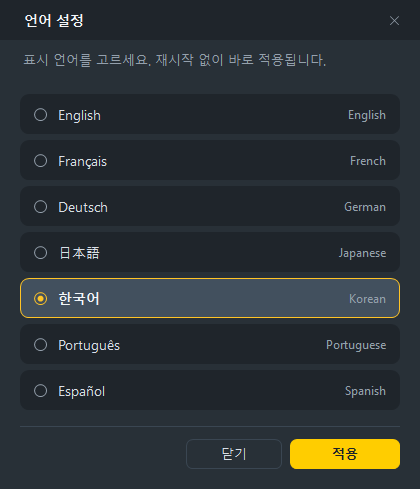
7 languages — Korean · English · Japanese · German · French · Portuguese · Spanish, switchable instantly without restarting
The user manual is also available in all 7 languages (Help › User Manual)
| DB | Design | DDL | Direct Creation | Reverse |
|---|---|---|---|---|
| Microsoft SQL Server | ● | ● | ● | ● |
| MySQL | ● | ● | ● | ● |
| Oracle | ● | ● | ● | ● |
| PostgreSQL | ● | ● | ● | – |
| MongoDB | ● | JSON structure | – | – |
Developers — design your tables visually and walk away with DDL and entity classes at the same time
DBAs & Architects — document your current schema using spec sheets and reverse engineering
SI/SM Project Teams — produce and deliver design deliverables (spec PDFs/Excel) to clients
AI Tool Users — use Claude or Cursor to work with your schema and see the results visually
Students & Educators — learn relational modeling visually and verify it in SQL right away
The free version has no feature restrictions. Entity count, DDL, reverse engineering, AI, and MCP are all fully available. The only difference is that outputs include a small attribution mark.
| Free Version | Pro License | |
|---|---|---|
| Design · AI · MCP · Reverse Engineering | Full access | Full access |
| DDL Script | One-line comment at the top | No mark |
| Table Specification Document | PDF (watermarked) | Excel (xlsx) + watermark-free PDF |
| ERD Image | Attribution in the corner | No mark |
The Pro license is intended for business and institutional use. It includes Excel (XLSX) export for table specification documents and clean, watermark-free outputs. Please reach out for licensing inquiries.
Download it for free today and use it without limits.
Version history and downloads per OS.
Tell us about any issues or features you would like for RelatiQ ERD Designer. It goes straight to the dev team.
Thank you for your feedback. The dev team will review it.